
STEP 01
Start with facts you can support
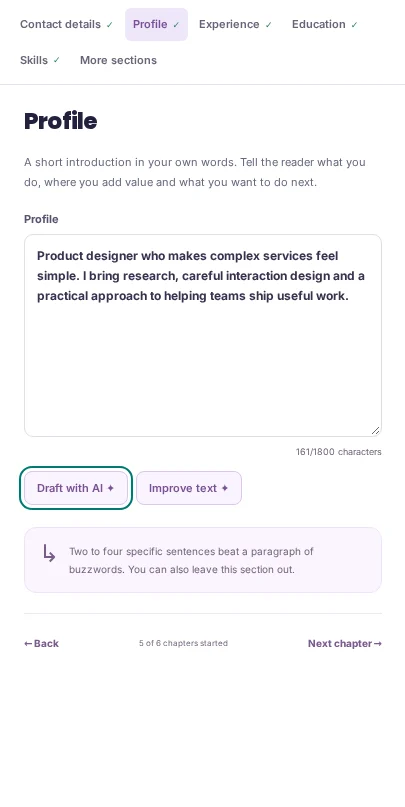
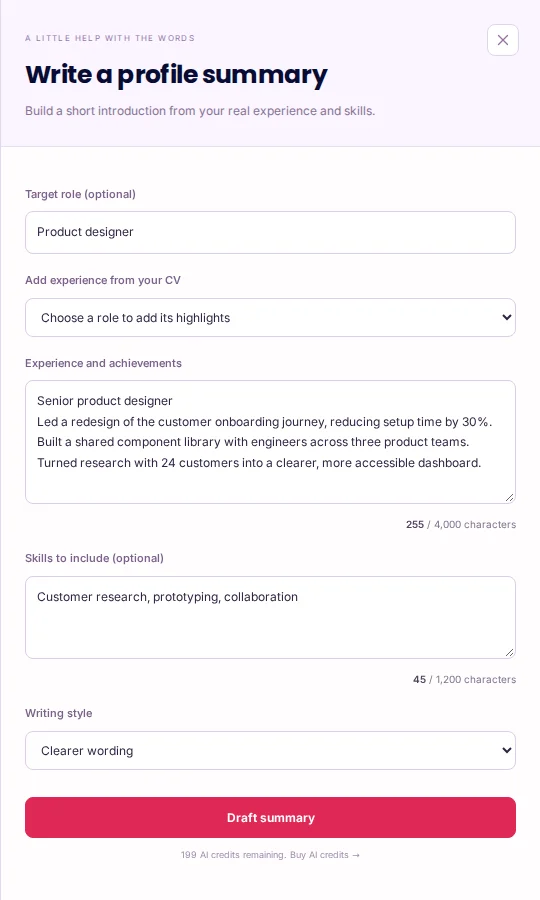
Sign in and open CV Maker. AI controls depend on your account’s access and available credits. Add your actual experience before asking for help. In Profile, Draft with AI can build a short introduction from experience notes, skills and an optional target role. You can add highlights from a role already in your CV, then review those notes before generating. On your first AI use, read the disclosure and decide whether to continue. The acknowledgement is saved to your account. Continue only with content you are permitted to use.
STEP 02
Choose one section or passage to improve
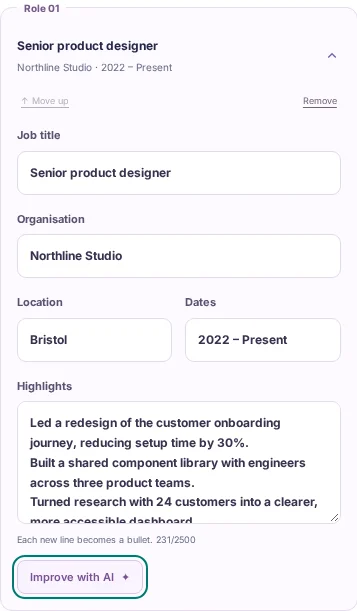
For a role in Experience, use Improve with AI to review its highlights. You can select a passage first to work on just those words. Profile and Skills have their own improvement controls; education descriptions, project highlights and other supported custom sections can also be refined. Choose the writing style that fits your aim. If a generation control is disabled, check the text counters and your available allowance. Add useful detail when the notes are too short, rather than repeating words to meet the minimum.
STEP 03
Review, edit and apply deliberately
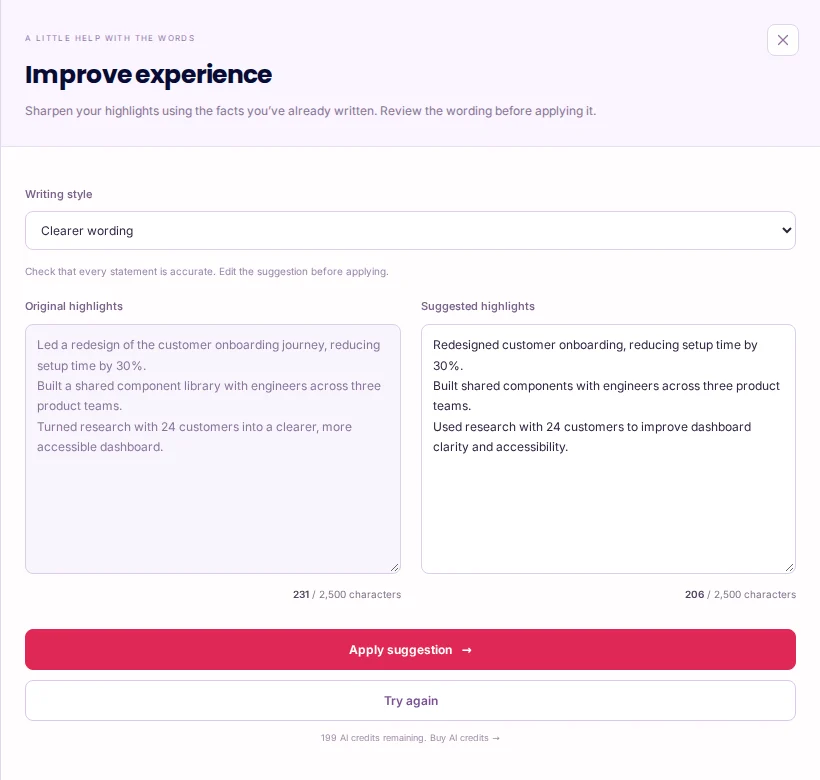
Read the original beside the suggestion. Check every job title, tool, qualification, number and result. Edit the suggested wording before applying it if anything is inaccurate or unlike your voice. Apply suggestion changes the chosen field; it does not independently save an account copy of the whole CV. Use Undo if the result is unsuitable, and save your intended version explicitly. Tailor with AI can use a job description to focus one field at a time, but you still need real evidence for the requirements. Review the final PDF and any fields extracted by the application portal.
An example to work from
REAL NOTES
I collected recurring customer setup questions and wrote a guide.
Support colleagues checked the instructions with me.

POSSIBLE REWRITE
Turned recurring setup questions into a practical customer guide, working with support colleagues to check the instructions.

REJECT
Reduced support tickets by 50% — unless you can substantiate it.
PUT IT INTO PRACTICE
Improve a fictional designer’s experience highlights
- Alex opens Experience and chooses Improve with AI on one role. The existing notes include a 30% setup-time reduction and collaboration across three product teams; those are fictional example facts.
- Generate clearer wording and compare it with the original. Keep the figures only because they were already in the example evidence. Remove any new claim that the notes cannot support.
- Edit the suggestion, choose Apply suggestion and check that the right role changed. Use Undo if needed, then save the CV version you intend to send.
BEFORE
Led a redesign of the customer onboarding journey, reducing setup time by 30%.
Built a shared component library with engineers across three product teams.

EXAMPLE AFTER
Redesigned customer onboarding, reducing setup time by 30%.
Built shared components with engineers across three product teams.

CHECK
Same role and dates; same supported facts; clearer wording.
These examples demonstrate the workflow. AI output varies and does not verify your achievements. For profile drafting, add relevant notes rather than copying contact details or an unrelated CV into the request.
Common mistakes to avoid
- Accepting invented metrics or qualifications
- A confident sentence is not evidence. Check every factual addition against your own records.
- Editing the wrong section
- Confirm the original text and selected role or field before generating and before applying.
- Assuming Apply also saves the whole CV
- Applying changes the editor. Save your account version when you are ready, and review the exported document.
Before you finish
The suggestion should clarify your experience, not add a more impressive history that did not happen.
- The source notes describe your own work.
- The intended role, section or passage is selected.
- Every factual claim in the suggestion has been checked.
- The wording has been edited to sound like you.
- The change was applied to the correct field.
- The saved version and final PDF have been reviewed.
Further reading
Official references for the topics covered in this guide.